


Pickup currently not available
Skip to product information


Linkind SL5C Smart Solar Spotlight
Sale price
$29.99
Regular price
$75.99
Pickup currently not available
key features
Free & Fast Delivery
Lifetime Customer Support
Payment Security
60 Days Back Guarantee
(US) 2-5 days delivery | Free shipping over $10
LS63002-SL5C-US-2-AD
You may also like
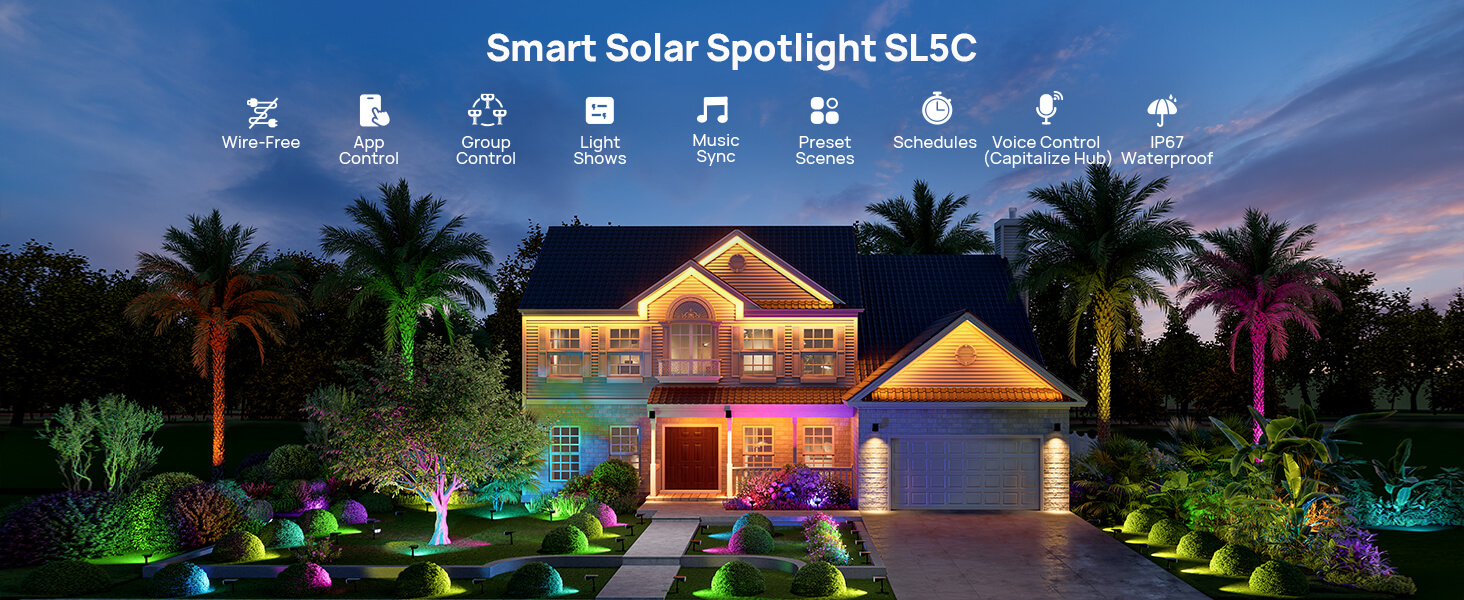
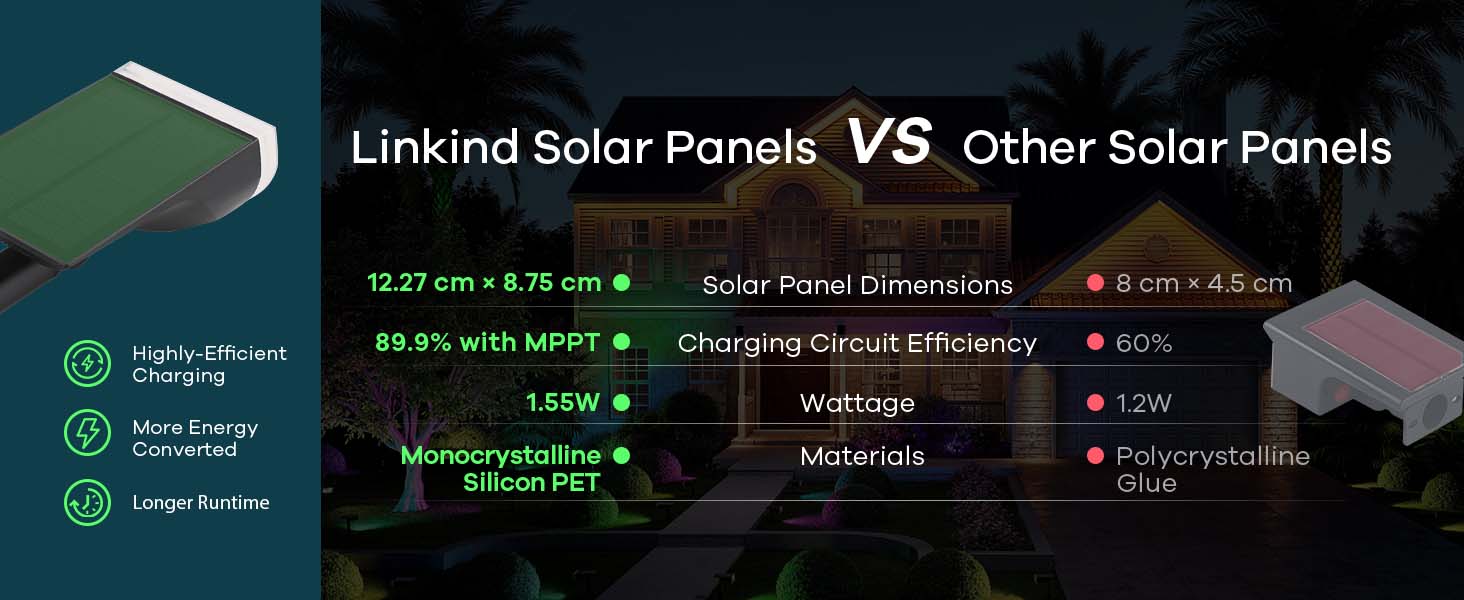
The World's First MPPT Solar Smart Light
 Note: Please use the latest firmware, version 2.5.0, to extend the high-brightness duration, improve battery life, and resolve connectivity issues. The steps are: Device Settings > Firmware Version > Upgrade Now. Once upgraded, select "Start".
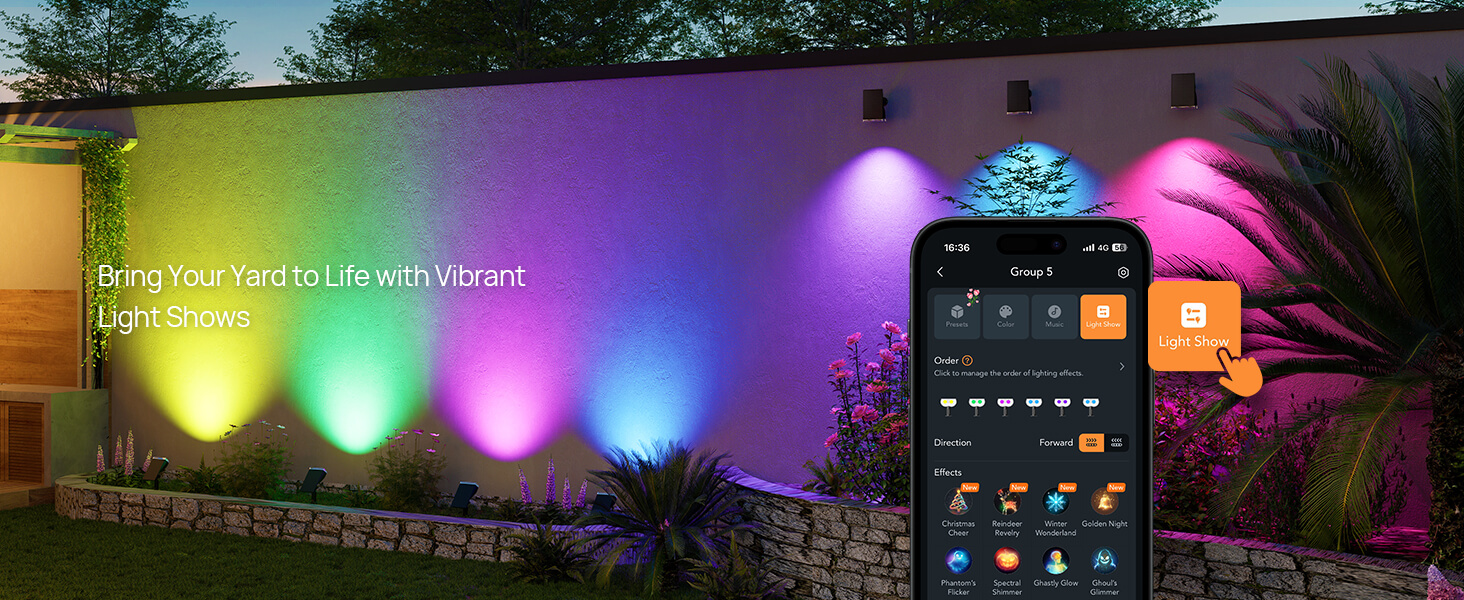
Light Shows
Sync with Music

Preset Scenes

Work Modes

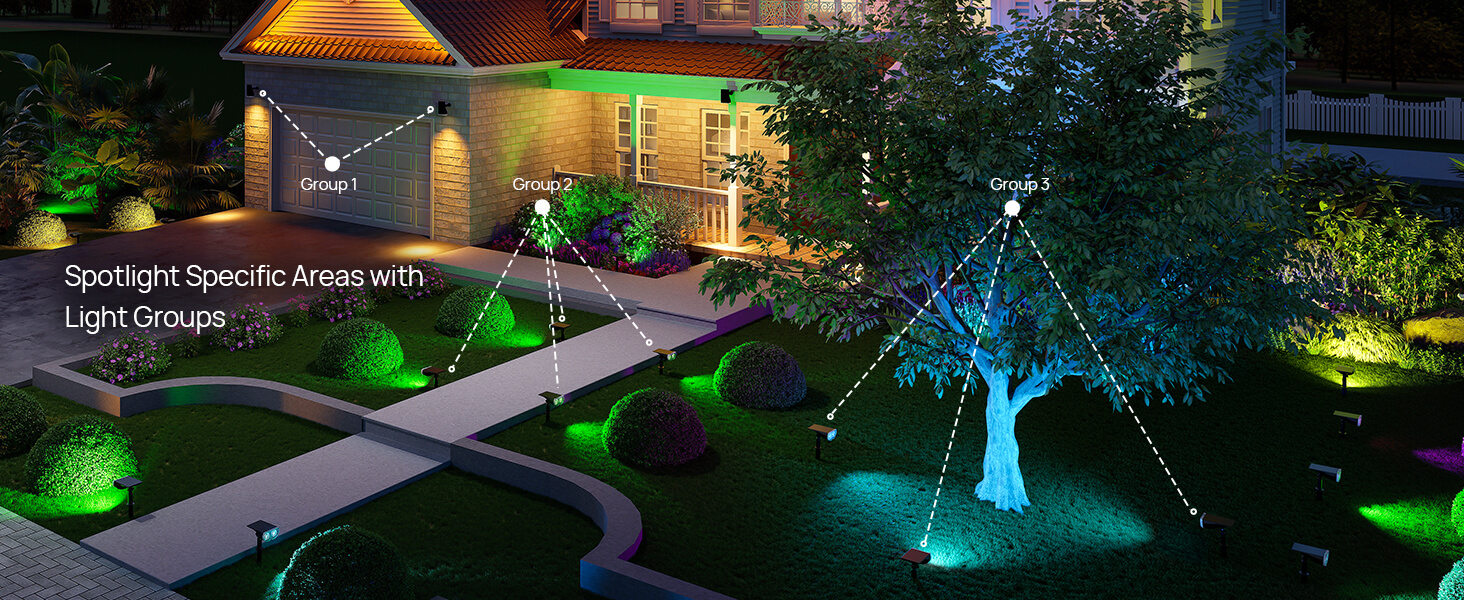
Group Control
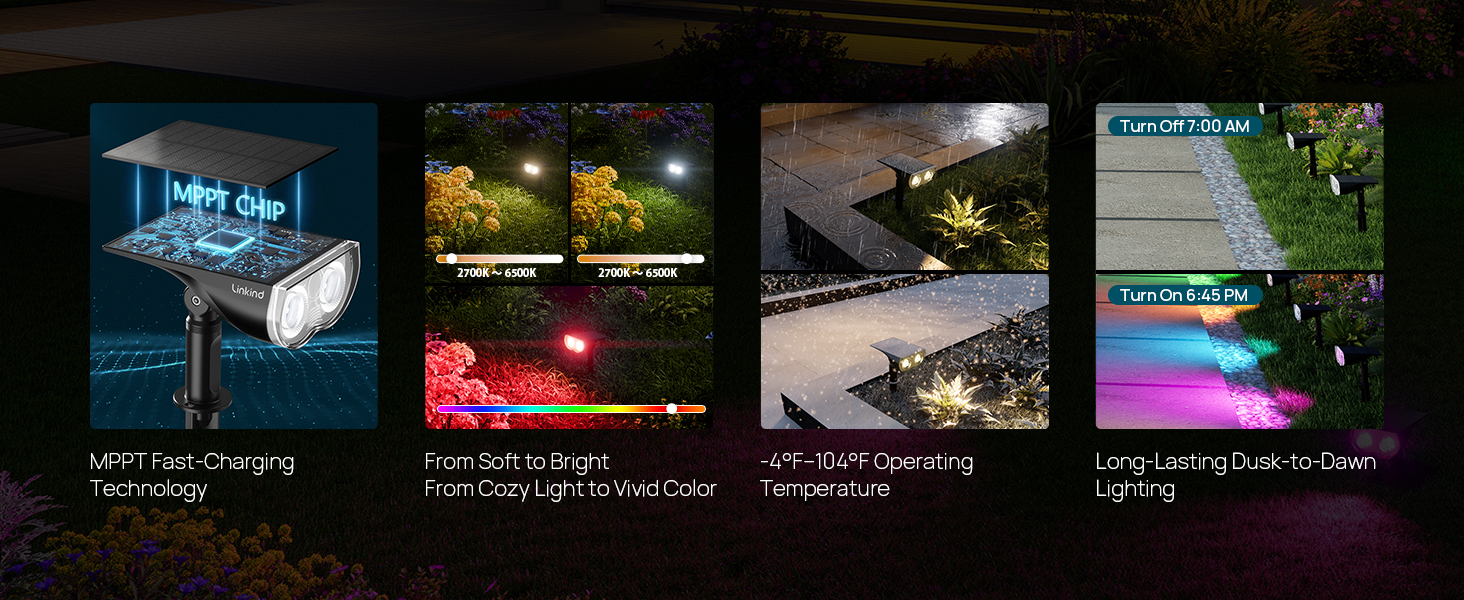
High-Performance of SL5C
Memory Function

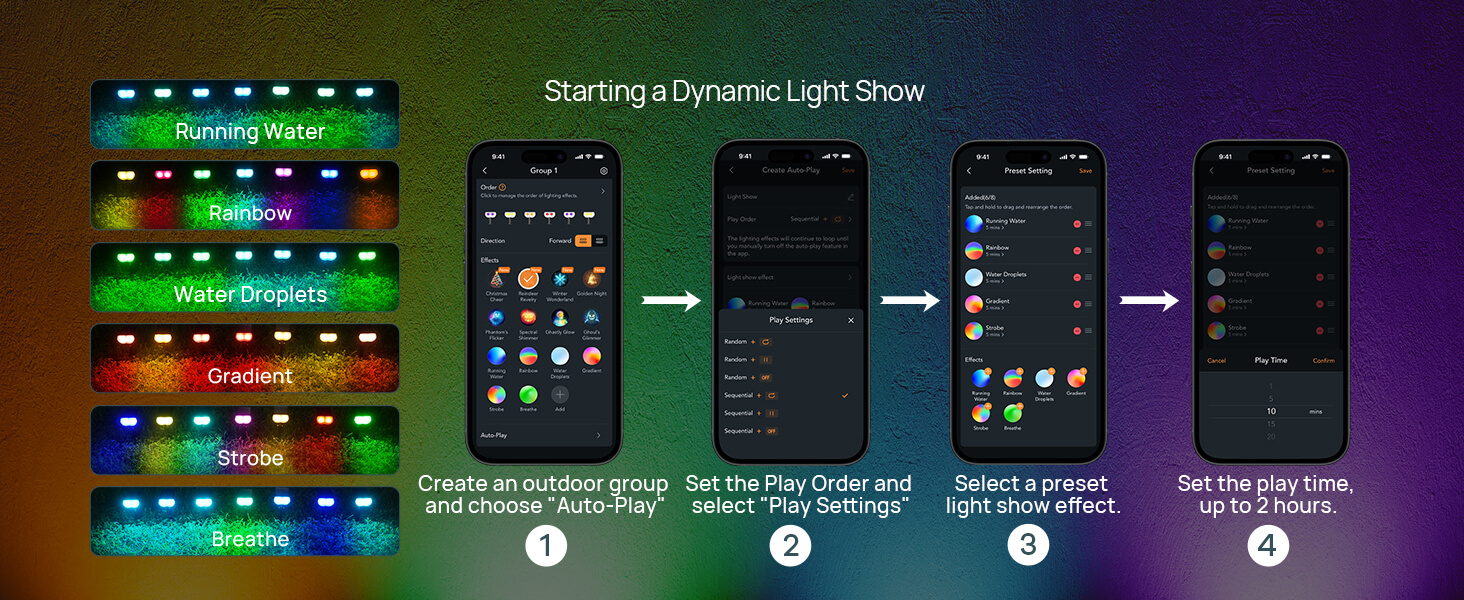
How to Enable Auto-Play for Dynamic Light Show
Discover the Unique Advantages of Linkind SL5
How To Install
The World's First MPPT Solar Smart Light
 Note: Please use the latest firmware, version 2.5.0, to extend the high-brightness duration, improve battery life, and resolve connectivity issues. The steps are: Device Settings > Firmware Version > Upgrade Now. Once upgraded, select "Start".
Light Shows

Sync with Music

Preset Scenes

Work Modes

Group Control

High-Performance of SL5C

Memory Function

How to Enable Auto-Play for Dynamic Light Show

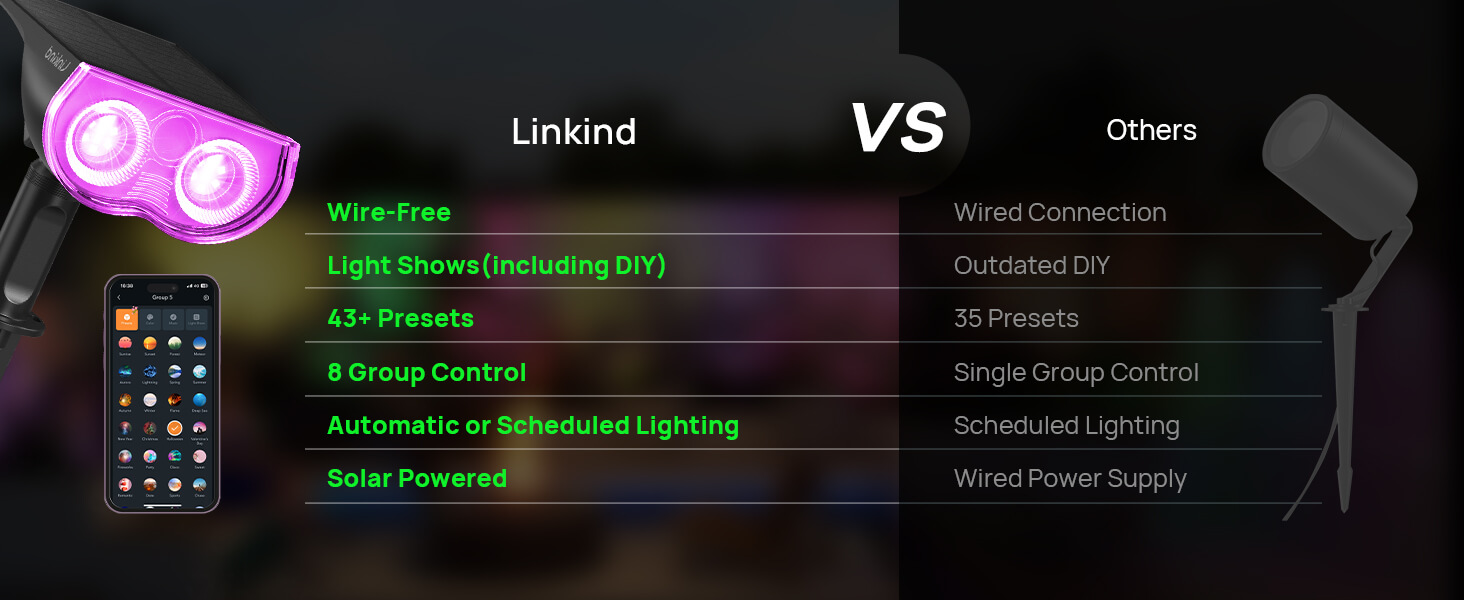
Discover the Unique Advantages of Linkind SL5


How To Install
Specification
| Power Source | Solar Powered |
| Installation Type | Wall Mount/Ground Insert |
| Control Method | App, Touch, Voice |
| Water Resistance Level | Waterproof |
| Color Temperature | 6500 Kelvin |
| Light Color | Multi-colored |
| Fixture Type | Outdoor Lighting Fixture |
FAQ
How do I connect my spotlight to the app?
+1. Keep phone and light within 98 feet (in an open area.) 2. Enable your phone's Bluetooth. 3. Long-press the red button on the light for 5 seconds until the light enters cool light/warm light cycle, then add the light to the app.
Why does my light turn off after only a few seconds?
+1. In a low battery state. 2. The default setting is to turn off after 30 seconds. Adjust in AiDot: "Settings" > "Lighting Duration."
Why won't my lights turn on at all?
+1. Check if there is any external light source interfering. 2. Charge for a while, then cover the solar panel to test. 3. Ensure hearing a clear "click" sound when pressing the button.
How do I completely shut down the light?
+Press the red button to adjust color until the light turns off. The light will not turn on again unless you press the button to wake it up.


