
 Delivery in 2-5 days (US) | Free shipping over $10
Pickup currently not available

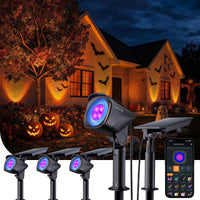
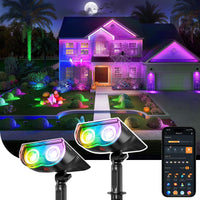
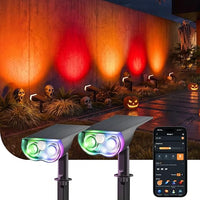
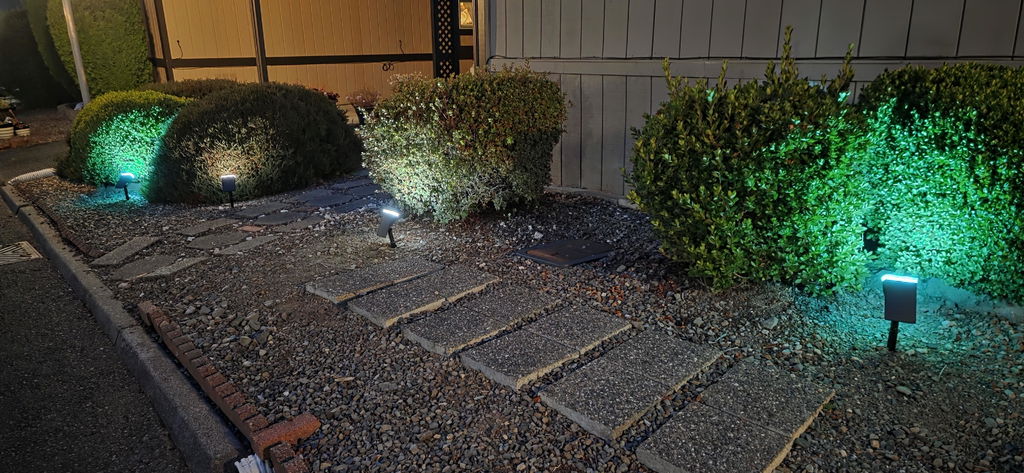
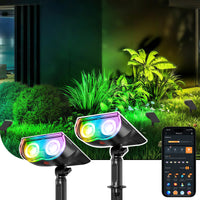
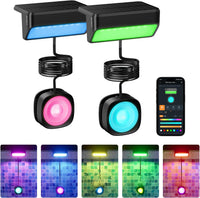
Linkind SL5C Smart Outdoor Solar Spotlight (150lm, App&Voice Control, 16 Million Color, IP67 Waterproof)
Pickup currently not available
 Delivery in 2-5 days (US) | Free shipping over $10
Pickup currently not available


| Power Source | Solar Powered |
| Installation Type | Wall Mount/Ground Insert |
| Control Method | App, Touch, Voice |
| Water Resistance Level | Waterproof |
| Color Temperature | 6500 Kelvin |
| Light Color | Multi-colored |
| Fixture Type | Outdoor Lighting Fixture |
| Power Source | Solar Powered | Solar Powered | Solar Powered |
| Light Source | LED | LED | LED |
| Number of Light Sources | 32 | 16 | 28 |
| Colors | RGB+White | RGB | RGB+Tunable White |
| Lumens | 200 lumen | 150 lumen | 150 lumen |
| Voltage | 3.7 Volts | 3.7 Volts | 3.7 Volts |
| Wattage | 2 watts | 1.55 watts | 3 watts |
| Waterproof | IP66(Storm-Proof) | IP67(Short-Term Submersible) | IP67(Short-Term Submersible) |
| Music Mode | √ | √ | √ |
| Timer&Voice&Group Control | √ | √ | √ |
| Bluetooth | √ | √ | √ |
| Dual-Ring Gradient Lighting Effect | √ | × | × |
| Warranty | 1 year | 1 year | 1 year |
| Controller Type | App, Alexa,Google Home,Push Button | App, Alexa,Google Home,Push Button | App, Alexa,Google Home,Push Button |
| Power Source | Light Source | Number of Light Sources | Colors | Lumens | Voltage | Wattage | Waterproof | Music Mode | Timer&Voice&Group Control | Bluetooth | Dual-Ring Gradient Lighting Effect | Warranty | Controller Type | ||
|---|---|---|---|---|---|---|---|---|---|---|---|---|---|---|---|
|
Linkind Smart Outdoor Solar Spotlight SL6C
$99.99
| Solar Powered | LED | 32 | RGB+White | 200 lumen | 3.7 Volts | 2 watts | IP66(Storm-Proof) | √ | √ | √ | √ | 1 year | App, Alexa,Google Home,Push Button | |
|
Linkind Smart Outdoor Solar Spotlight SL5C
$29.99
| Solar Powered | LED | 16 | RGB | 150 lumen | 3.7 Volts | 1.55 watts | IP67(Short-Term Submersible) | √ | √ | √ | × | 1 year | App, Alexa,Google Home,Push Button | |
|
Linkind Smart Outdoor Solar Spotlight SL5
$39.99
| Solar Powered | LED | 28 | RGB+Tunable White | 150 lumen | 3.7 Volts | 3 watts | IP67(Short-Term Submersible) | √ | √ | √ | × | 1 year | App, Alexa,Google Home,Push Button |

I'm surprised how bright these lights are. I get a lot of complements from my neighbors. I'm a believer
I’ve bought 32 SL5C so far. I have every one in use, using 6 different zones. I like them so much I’d like to buy some SL6C. The problem is I need 10 SL6C. How can I buy what I need without having to get 2 lights I can’t use?
Very bright
Nice lights and great price.
Great lights - many choices of colors and app is easy
Just as advertised!!!
These lights are beautiful I like you can change them to different scenes. They also stay on must of the night for me because they are not in direct sunlight all day long.
Bright and easy to assemble and app is great!
Theae lights are a great addition to our yard!
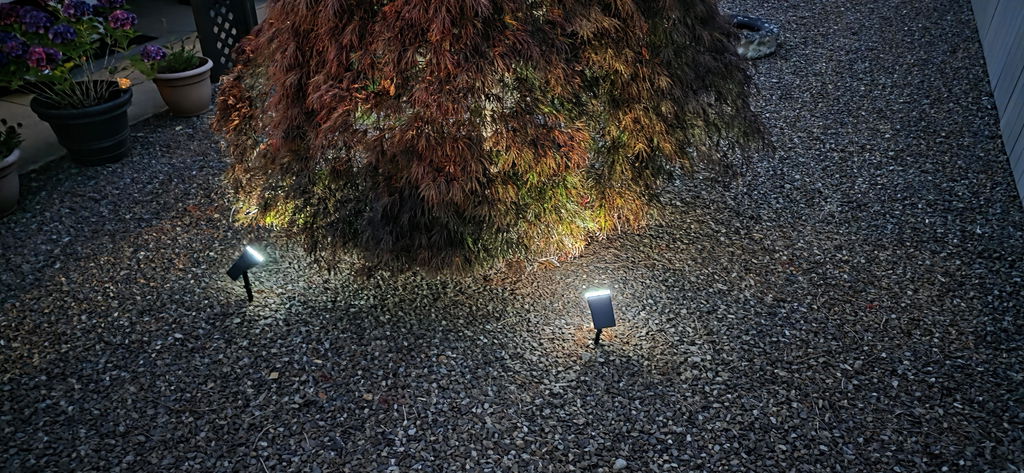
Looks great in our garden
Amazing landscape lights
never received package.
We're sorry to hear that your delivery was unsuccessful. Our support team has contacted you via email and is working to resolve the issue as quickly as possible. We appreciate your patience and will make this right.
I love these lights
Lights came as stated. The only problem i have is one of the 8 doesnt work
Nice bright night light
Not recieved
We sincerely apologize for the delay with your order. Our customer service team has reached out to you via email to resolve this immediately. We appreciate your patience and will make this right.
some
I wanted to say these are the best solar lights by far iv bought solar over the years and they may last a year are not half work but these lights stay lit all night and very bright and look like the expensive ones for the money you cannot go wrong just ordered my mother
Exelente
Bought 4 in 2025, set them up and really enjoyed brightness and options to change mood settings and programme to come on for a few hours each evening. Stored them away for winter, but only 2 working this year which is a bit disappointing. I've bought 2 new ones whilst I try and see if they will re-charge, but 3 days and not a flicker. I can't see that batteries are easily accessible to replace as solar panel seems well glued down and clear lens seems to be glued or welded to black casing. Might break one apart to see if it is possible somehow.
They work great!!
great product .lots of features
Quality and Price and Performance. Glad I Purchased
Awsome lights look real nice
Very good.
I never got my 2nd order
We sincerely apologize for the delay with your second order. Our customer service team has reached out to you via email to resolve this immediately. We appreciate your patience and will make this right.
Great product very happy
I’ve been using these lights for a few weeks and I love them so much. I already had the app so adding the device was super simple and easy to change colors and brightnesses. The colors are so vibrant, our favorite is purple. We haven’t had any problems with solar power and we have them in a timer to save power as well. Would definitely recommend these outdoor lights.
When it comes to smart solar lighting, the options have been relatively limited - in fact, I didn't know any existed at all, until I purchased these. And they're a huge upgrade over the solar lights I purchased from my local discount store a couple years ago. The lights pair with your phone via bluetooth. You can set them to your favorite version of white light (2700-6500K), or use some of the more sophisticated color features. There are "presets", or pre-made color shows you can pick - things like "fireworks", or my personal favorite for the my hot tub, "love" (which is red and purple). If you have a specific pallette you want, you can also configure that too, selecting colors, light change intervals, etc. All the features are great, but the one I appreciate the most is being able to come on at dark and turn off at a specific time. Most of the "non-smart" solar lights have settings like "turn on at dark, turn off six hours later." I just need them to come on at dark and off when I go to bed. Having the ability to set a very specific time for them to turn off means the battery is charged enough for them to actually work, the two hours I need lighting, after a cloudy or rainy day. The instructions say you should charge them for 48 hours before trying to use them. Definitely do this. My lights needed a firmware update (software upgrade), and you don't want to try that if they're not fully charged. If you need solar spotlights, don't settle for what you can get at the hardware store. These are much better, and they don't actually cost any more.
1. Keep phone and light within 98 feet (in an open area.) 2. Enable your phone's Bluetooth. 3. Long-press the red button on the light for 5 seconds until the light enters cool light/warm light cycle, then add the light to the app.
1. In a low battery state. 2. The default setting is to turn off after 30 seconds. Adjust in AiDot: "Settings" > "Lighting Duration."
1. Check if there is any external light source interfering. 2. Charge for a while, then cover the solar panel to test. 3. Ensure hearing a clear "click" sound when pressing the button.
Press the red button to adjust color until the light turns off. The light will not turn on again unless you press the button to wake it up.